

EAZ Solution Easy Image v4.0
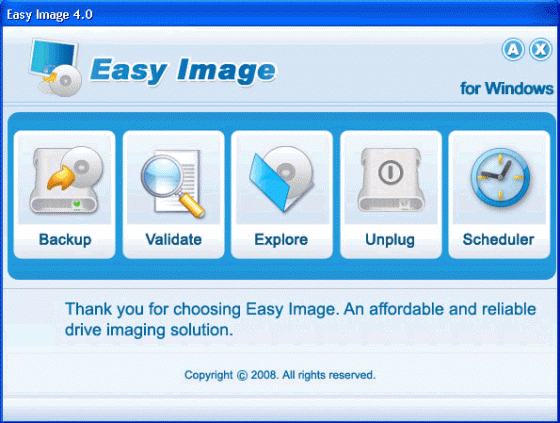
Там, где Norton Ghost и Acronis True Image "отдыхают", воспользуйтесь изготовителем "слепков" системы, полного резервного копирования и восстановления данных на ПК от производителя известнейшей Машины Времени EAZ-FIX (RollBack Rx) программой Easy Image. Пять простых шагов из доступно-приветливого интерфейса программы позволят вам создавать образы содержимого дисков, буквально бит в бит при любых фатальных сбоях и крушениях системы, с возможностью переноса ее содержимого на новый диск, с изменением размеров разделов или разворачивания на новом компьютере. Имеет свой движок записи и создания самозагружаемого диска, когда сама система уже не грузится. Соответственно есть и привычные пользователям явления, такие как, — монтирование виртуальных дисков из образов и наличие своего Explorer-просмотрщика содержимого образов, для извлечения из них важного содержимого. И все это легко и просто, в пять простых шагов, - в любое время или по расписанию...
Нis one worx where Norton Ghost or Acronis True Image fail ! Give it a try, it's very good software ! Easy Image is an affordable and reliable drive image solution that allows you to create backup images of hard disks or partitions in user-friendly Windows interface with just several clicks. Easy Image protects your valuable data from disasters in the most simple and effective way!
What can Easy Image be used for?
Use Easy Image as a backup program for disaster recovery. If your disk or partition is no longer accessible due to corruption of the disk's file system or system files, and you previously created a disk image or partition image file, you will be able to use that image file to restore the disk or partition. If the hard disk is physically damaged, you can use the image file to restore the data to a new hard disk.
Use Easy Image for basic file recovery. If you lose a file and don't have a dedicated file backup, any previously created image file containing the lost data can be read by Easy Image Explorer to extract the desired file from that image file.
Use Easy Image as a mean to transfer a computer's entire operating system, with programs and data files intact, to a new computer or to a new hard disk. If you want to restore a system from an image file to a different hard disk, Easy Image can move or resize a partition's location or size to suit the new hard disk.
Easy Image Highlights
Real-time Hard Disk Imaging Backup — All your applications remain online during the hard drive backup. Easy Image performs hot backup and protects your system without interrupting your working process.
Fast and Reliable System Restore — Easy Image delivers fast workstations restore even from bare-metal state. You can browse backup images and restore separate files and folders or entire hard disk partitions and hard disks.
User-Friendly Recovery Media Builder — Easy Image includes a user-friendly recovery media builder that allows you to create and burn bootable recovery CD/DVDs containing HDD backup images.
Hardware and Software Flexibility — Wide range of software and hardware support, local or network backup media support as well as built-in CD/DVD Burner to place HDD backup images on CD/DVD delivers great flexibility to IT professionals and system administrators.
Easy Image Features:
1. Supports Windows 2000/XP/Vista OS
2. Supports FAT16/FAT32/NTFS file systems
3. Supports unknown file systems with sector by sector backup
3. Backup partitions or entire disk
4. Backup multiple disks
5. Backup drives while Windows is online
6. Backup drives from recovery CD while Windows is offline
7. Split backup file in various sizes for easy storing
8. Open backup file as virtual drives for file recovery
9. Create bootable recovery CD/DVD with an user-friendly wizard
10. Create bootable recovery CD/DVD containing drive backup images
Скачать программу EAZ Solution Easy Image v4.0 (55,53 МБ):


Кто тестил?
Есть у неё востановление до загрузки винды? Типа как в Eaz-Fix.